Professional screenshots, regardless of your screen size.
Capture authenticated websites like Meta Ads, Google Ads and Shopify in pixel-perfect quality—regardless of your laptop, monitor or display resolution.
Why marketers choose Snap Pro
Capture authenticated content faster without compromising quality.
Capture Anything
Capture authenticated pages, individual components or the full viewport with pixel-perfect accuracy.
HD Export
Export crisp PNGs or copy screenshots directly to your clipboard in one click.
Built for Growth Teams
Designed for Meta Ads, Google Ads, Shopify and other authenticated platforms.
Capture. Export. Done.
Snap Pro lets you capture authenticated content in three simple steps.
Open an authenticated
website
Navigate to Meta Ads, Google Ads, Shopify, or any other logged-in platform.
Choose what to capture
Select a single element or your full viewport with one click.
Export in seconds
Download a high-resolution PNG or copy it directly to your clipboard.
Built for secure, authenticated workflows.
Snap Pro captures only what you choose—nothing is uploaded, stored, or tracked.
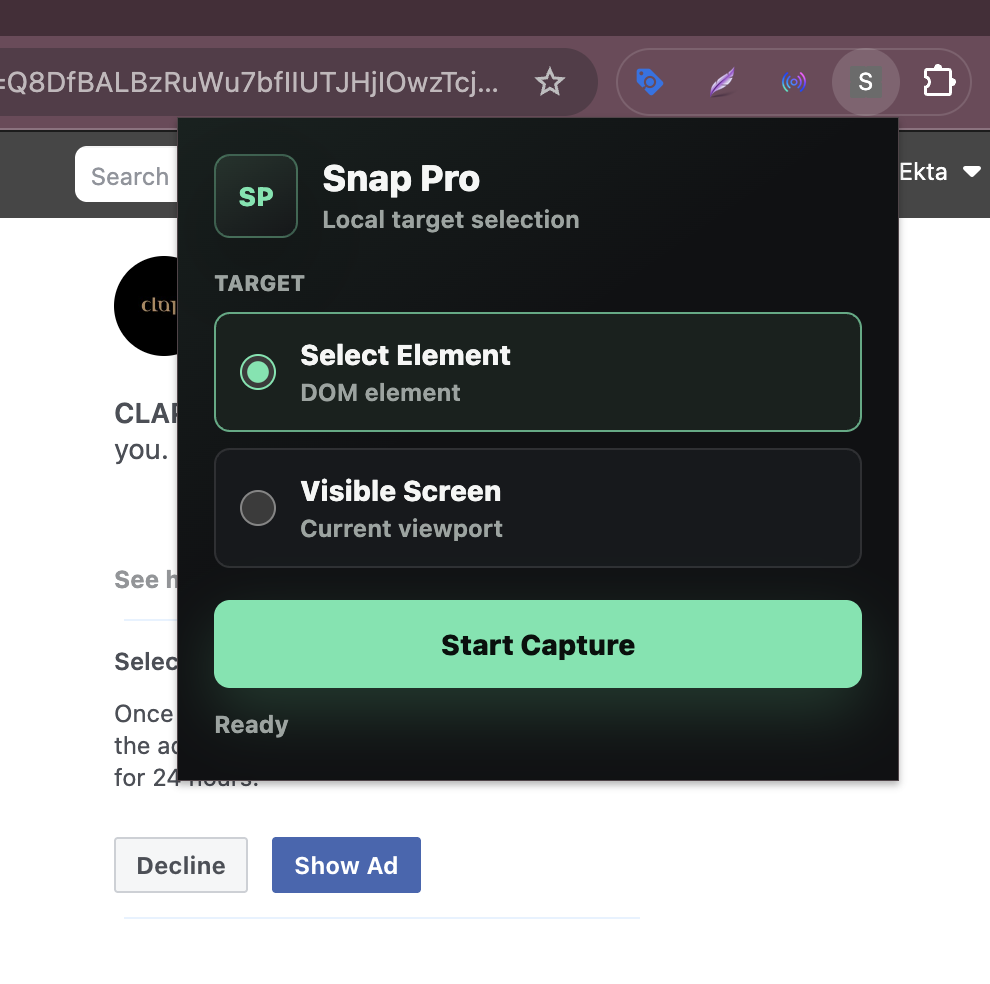
Extension popup
Local Processing
Screenshots are generated directly inside your browser.
No Cloud Uploads
Your captured content never passes through our servers.
Only When You Click
Snap Pro activates only after you explicitly start a capture.
Minimal Permissions
Permissions are requested only for features required to capture authenticated pages.
Ready to capture better screenshots?
Install Snap Pro and capture authenticated websites with pixel-perfect accuracy.